LP Logo Longevity Protocols
No results
    • ENGLISH
    • POLISH
    More
    • My protocol
    • My intentions
    • Interventions
    • Diagnostics
    • Blog
    • Newsletter
    • Contact
    • Safety
    • Community
    Knowledge base
    • Interventions
    • Diagnostics
    • Metrics
    • Products
    • Safety
    • Methodology
    About creator
    • My protocol
    • My intentions
    Contact Blog Newsletter Community App Start
    No results
      Longevity Protocols
      • Begin here
      • Longevity Investment Strategy
        • 1. Introduction
        • 2. Mobile App
        • 3. What Game Do You Play?
        • 4. Foundations
        • 5. Assets
        • 6. Your ‘Why?’
        • 7. Your Protocol
        • 8. Your Path
        • 9. Start Your Strategy
      • Levels of advancement
      • Beginner
        • 1. Introduction
        • 2. About longevity
        • 3. What is currently realistic
        • 4. How to join the elite 1%
        • 5. Longevity protocol
        • 6. Scientific foundations of habit management
        • 7. Nature designed us to walk
        • 8. Regularity in eating
        • 9. The last hour before sleep
        • 10. Regaining a sense of control
        • 11. The circle that pulls you up
        • 12. Biological age
        • 13. Watch out for pitfalls
        • 14. How to verify health information
        • 15. Paradigm shift in medicine
        • 16. Injuries and diseases
        • 17. When it is and isn’t worth taking risks
        • 18. Longevity clinics – is it worth using them?
        • 19. Summary
        • 20. Your first challenge
      • Basic
      • Intermediate
      • Advanced
      • Expert

      Longevity Protocols Mobile App

      Your Personal Longevity Operating System

      Introduction

      In the previous lesson, you learned the core principles of the Longevity Investment Strategy — a concept that changes the way we think about health. Now it’s time to put theory into practice.

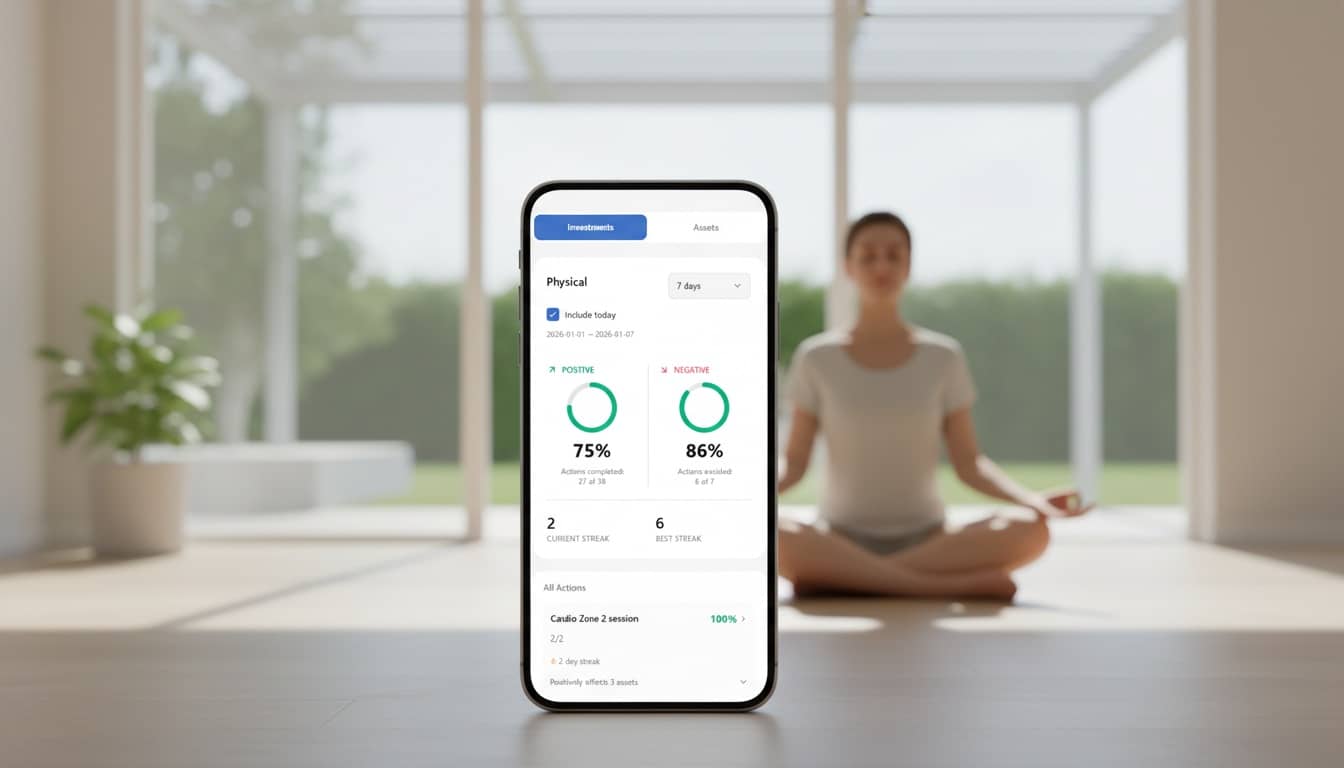
      The Longevity Protocols mobile app is a tool that allows you to implement all the principles of this strategy in real life. It’s your personal operating system for health — a place where you plan, track, and optimize your investments in longevity.

      This app is a comprehensive tool that guides you step by step through the complex world of longevity, helping you build a personalized health protocol based on scientific foundations.

      Instead of getting lost in hundreds of conflicting pieces of information, you receive:

      • Personalized recommendations based on your current state and goals
      • A structured approach to building health by creating a supportive system around yourself
      • Progress visualization showing how your daily actions translate into investments in health assets
      • Gamification elements that turn daily effort into an exciting journey

      Table of contents for this lesson

      This lesson is extensive and describes the core features of the Longevity Protocols mobile app, which makes it possible to put the theory from this guide into practice.

      If you don’t want to read everything, you can click the section you’re interested in in the table of contents below, or go straight to the summary and the next lesson if you don’t want to use the app.

      • Introduction
      • About the app
      • App installation
      • Account creation
      • Create your first protocol
      • Your daily to-do list
      • Positive and negative habits
      • Health Asset Rings
      • Consistency Ring
      • Supplements
      • Workout schedule
      • Intervals and Zone 2 cardio
      • Strength training
      • Meditation
      • Emotional Check-In
      • Other features
      • Join the community and stay up to date
      • Summary

      About the app

      The app is completely free and is currently in the testing phase. This means you can install it and already use its full potential, but it is still in a phase of continuous improvement, so it very much needs ongoing feedback from users.

      In exchange for access, I’m only asking you for feedback — your opinions and suggestions will help me improve the app, and will ultimately give you an even better tool for managing your health.

      You can send me your feedback via the communication channels below:

      • Email: m.szymanski@mdbootstrap.com
      • WhatsApp: Our community WA
      • LinkedIn: My LinkedIn profile
      • Social media:

      If you don’t want to use the app — no problem. You can go directly to the next lesson and continue learning.

      You will still need a registered Longevity Protocols account, though. Registration is free and gives you access to all educational materials on the website.

      The account is shared for both the mobile app and the website https://longevity-protocols.com/ - so it’s enough to create it in one place, and you’ll be able to use it in both.

      You can log in or register directly using the form below.
      You are already logged in.

      Your account is active. You can continue exploring the content or use the app.

      Please confirm your account

      We've sent you an email with a confirmation link. Please check your inbox and click the link to activate your account before signing in.

      • Login
      • Register

      Forgot your password?

      The Longevity Protocols app is currently available only in the English language version and only for Apple devices.

      Android version will be available soon - if you want to be notified when it’s ready - sign up for the newsletter.

      App installation

      Installation is very simple and quick.

      Step 1:

      The app is currently in the testing phase and therefore uses the official Apple testing app called TestFlight — you can install it for free on your phone using the QR code below:

      TestFlight App

      Or use this link:

      Install TestFlight app

      Step 2:

      Next, scan the QR code below to accept the testing invitation and install the Longevity Protocols app.

      Longevity Protocols App

      You can also use this link:

      Install Longevity Protocols app

      Account creation

      Registration:

      • On the start screen, select "Sign Up"
      • Enter your email address and password
      • Confirm your registration via the link sent to your email

      Login:

      If you already have an account:

      • Select "Sign In"
      • Enter your email and password

      You can use the same account both in the mobile app and on the website longevity-protocols.com. All your data is synchronized.

      Create your first protocol

      After logging in, you will see the app’s home screen, and at the top, in the notifications section, you’ll find a suggestion to create your first protocol.

      Click the "CREATE PROTOCOL" button to launch the smart wizard, which will guide you step by step through the process of creating your first longevity protocol.

      In the next steps, the wizard will ask you to choose a few options that best describe your current state.

      • Diet status — Choose the option that best describes your current status: Overweight, Underweight, Optimal/Suboptimal, or Ideal
      • Commitment level — Specify how much time per week you want to devote to physical activity (from Minimal 2-3h/week to Athletic/Performance 10+h/week)
      • Training readiness level — Choose your current level: Inactive, Beginner, Intermediate, or Trained

      Based on the options you choose, the wizard will generate personalized recommendations regarding a suggested physical activity plan for you.

      Of course, you can edit them and tailor them to your needs.

      Next, the wizard will ask you whether you want to immediately add the individual physical activities to your weekly schedule. You can skip this and add them later, but I recommend doing it right away.

      In the next steps, the wizard will show you adding various habits and activities to your protocol from categories such as diet, sleep, or stress management.

      To start, I suggest choosing at most one habit / activity from each category - too many at the beginning can overwhelm and discourage you. Choose a habit that, on the one hand, is important to you, and at the same time is also a bit of a challenge.

      You can modify your habits at any time, so when you feel more confident and gain an appetite for more, you’ll be able to raise the bar and add more activities to your protocol without any problem.

      When you reach the final step of the wizard, your protocol will be created and added to your daily to-do list.

      Your daily checklist

      On the main screen of the app, you’ll find the most important thing — your daily checklist.

      This is the central place in the app where you see all of your day-to-day health-related actions. Think of it as your personal control panel — it shows you exactly what you should do on a given day.

      You should see the items you selected in the wizard in the previous step.

      Checklist structure:

      The checklist is divided into sections:

      • Today — Scheduled — All habits, supplements, and workouts scheduled for specific times, sorted chronologically
      • Today — Anytime — Habits and actions you can complete at any time during the day
      • Weekly — Habits you do once or several times per week
      • Monthly — Actions scheduled for specific days of the month
      • Quit Habits — A special section for habits you want to reduce or eliminate

      Each item on the list is a specialized tool.

      For example: if you tap the area marked in red below, the item will simply be checked off as completed.

      But if you tap the area marked in blue, you’ll open a dedicated tool for that specific activity — in the case of meditation, it will be a meditation timer.

      So when you tap activities such as resistance training, Norwegian 4×4 intervals, an emotional check-in, and many others — each one will open a dedicated tool that helps you complete the task.

      Extra buttons:

      At the bottom of the checklist, you’ll also find two buttons:

      • Extra Activity — Lets you add an activity that wasn’t planned (e.g., an extra walk or a spontaneous workout). You can add it to any date — past, present, or future
      • New Habit — Lets you add a new habit to your protocol by choosing from a library of ready-made templates or creating your own

      Positive and negative habits

      Your daily checklist splits habits into two main types — positive habits (the ones you want to build and strengthen) and negative habits (the ones you want to reduce or eliminate).

      Positive habits (Build Habits):

      Positive habits are actions you want to build and reinforce. Examples include: daily meditation, regular exercise, reading books, drinking water, or spending time with loved ones.

      You mark them as completed when you do them. The app tracks your consistency over time, and these habits positively impact your health assets (Physical, Cognitive, Emotional).

      Negative habits (Quit Habits / Limit Habits):

      Negative habits are behaviors you want to reduce or eliminate. Examples include: smoking, excessive social media use, eating fast food, or going to bed too late.

      Important: you tap a negative habit only when you failed to resist it. In other words, it’s the opposite of positive habits — for negative habits, not tapping means success.

      The app tracks how many days in a row you managed to avoid a given behavior. Negative habits impact your health assets only when you do them.

      Tip: for negative habits, it’s often better to think in terms of “days without” — the app shows you how many days in a row you’ve managed to avoid a given behavior.

      Rings PCE — Health Asset Rings

      At the top of the home screen, you’ll see three colorful rings:

      • Physical
      • Cognitive
      • Emotional

      This is a visual representation of your investments in health assets — aligned with the concept described in the Longevity Investment Strategy.

      Each ring shows what percentage of your planned actions for a given asset you completed over the selected time range.

      Ring colors:

      • Green (≥70%) — Excellent consistency: you regularly invest in this asset
      • Yellow (40–69%) — Good consistency, but there’s room to improve
      • Red (<40%) — Low consistency: it’s worth increasing frequency

      You can change the time range displayed by the rings: Today, Yesterday, This week, This month, 7 days, 30 days, 90 days, 180 days.

      Tapping any ring takes you to the detailed view of that asset, where you can see all actions that affect it, plus stats, trends, progress charts over time, and an activity heatmap.

      Consistency Ring — Overall consistency

      The fourth ring, displayed next to the three main rings, is the Consistency Ring. It shows your overall consistency across all actions — habits, supplements, and workouts.

      The Consistency Ring shows the percentage of all planned actions that you completed. It includes all habits (both positive and negative), all supplements, and all workouts / physical activities.

      Example: if you planned 10 actions for a given day and completed 7 of them, the Consistency Ring will show 70% (green).

      Consistency is the key to long-term results. The Consistency Ring helps you see the big picture, identify days/weeks/months when your consistency drops, and stay motivated to keep going.

      Tapping the Consistency Ring takes you to a detailed stats view, where you can see a day-by-day consistency heatmap, trends over time, breakdown by category (habits vs. supplements vs. workouts), and even analysis by day of the week.

      Supplements

      The app helps you track all of your supplements in an organized and smart way.

      Adding supplements:

      • Go to "Protocol" → "Supplementation"
      • Tap "Add Supplement"
      • Select a supplement from the built-in library or add your own
      • Configure the details: name, dosage, frequency, and time of day

      Time sections: Supplements are automatically grouped by time of day: With Breakfast, With Lunch, With Dinner, Before Bed, Anytime. You can also create your own custom time sections.

      Supplement types:

      • Continuous — Supplements taken regularly with no planned end date
      • Temporary — Supplements with a defined period (start date and end date)
      • Cyclical — Supplements taken in cycles (e.g., 4 weeks on, 2 weeks off). The app will remind you when it’s time to switch phases

      The app shows the status of each supplement: Current (you’re taking it now), Future (planned for later), Past (finished), or Break (currently in the “off” phase between cycles).

      In your daily checklist, supplements appear in their corresponding time sections. Just tap a supplement to mark it as taken. The app automatically tracks your adherence for each supplement, shows stats per supplement, and can remind you to take them (if notifications are enabled).

      When supplements are grouped into sections (e.g., "With Breakfast"), tapping the group in the daily checklist opens the detailed list, where you can check off individual supplements or all of them at once.

      Workout schedule

      The app lets you plan a weekly workout schedule that includes different types of physical activity.

      Activity types: You can set weekly targets for: Resistance Training, Cardio Zone 2, Norwegian 4×4 Intervals, Stretching, Mobility Training, and Balance Training.

      Setting weekly targets:

      • Go to "Protocol" → "Physical Activity"
      • In the "Weekly Targets" tab, set targets for each activity type
      • The app will show you how many sessions you’ve scheduled vs. your weekly goal

      Schedule: In the "Schedule" tab, you can assign specific workouts to specific days and times. Choose an activity type, pick the day of the week, set a time (or keep “All day” for activities without a fixed time). The workout will appear in your Daily Checklist on the planned day and time.

      The app automatically tracks how many sessions of each activity type you completed in the current week, how many are still needed to reach your weekly goal, and which sessions are scheduled vs. completed.

      Intervals and Zone 2 cardio

      Zone 2 cardio:

      Zone 2 cardio is low-intensity aerobic training performed in the aerobic zone (roughly 60–70% of your max heart rate). It’s key for improving metabolic health, building aerobic capacity, and increasing fat oxidation.

      How to use it in the app:

      • Planning: Set a weekly Zone 2 target in the Physical Activity section
      • Scheduling: Add specific sessions in the workout schedule
      • Doing it: When it’s time, tap the Zone 2 session in the Daily Checklist, open the timer (default: 45 minutes), start your session, then mark it as completed

      Tip: Zone 2 should feel like a pace where you can comfortably hold a conversation — if you can’t, you’re probably drifting into a higher zone.

      Norwegian 4×4 intervals:

      Norwegian 4×4 is an interval protocol that consists of 4 minutes of high-intensity work, 3 minutes of easy recovery, repeated 4 times (35 minutes total).

      How to use it in the app:

      • Planning: Set a weekly target (usually 1 session per week)
      • Scheduling: Add the session in the schedule
      • Doing it: Tap the session in the Daily Checklist and open the dedicated Norwegian 4×4 timer. The timer guides you through the full protocol: 5-minute warm-up, 4 minutes hard (with an audio cue), 3 minutes easy (with an audio cue), repeated 4 times, then 5-minute cool-down. After you finish, the app will automatically mark the session as completed in your daily checklist.

      Tip: 4×4 intervals are very demanding. Make sure you’re properly prepared and don’t do them too often.

      Resistance training

      The app includes an advanced resistance training module that lets you plan, perform, and track your workouts end to end.

      LP workout templates:

      The app includes ready-to-use workout templates created by the Longevity Protocols team. They’re optimized for longevity, cover full training programs, include balanced full-body exercise selection, and support progressive overload.

      Building your own workouts:

      You can also create your own workout. To do this:

      • Go to "Protocol" → "Physical Activity" → "Resistance Training"
      • Tap "Create Workout" or "Workout Builder"
      • Select exercises from the exercise library
      • Set sets, reps, and load for each exercise
      • Save the workout as a reusable template

      Exercise library: The app includes a comprehensive exercise library with descriptions and instructions, technique tips, target muscle groups, and exercise variations.

      Live workout session: When it’s time to train, tap your scheduled workout in the Daily Checklist and choose "Start Workout". The app opens a live session where you can track every set, rep, and load, use a rest timer between sets, write notes per exercise, adjust weights mid-workout, and mark exercises as skipped if needed.

      Progress tracking: The app automatically tracks personal records (best results per exercise), load progression over time, training volume (total volume = sets × reps × load), workout history (all completed sessions with dates), and progress charts (visualizing results over time).

      Workout stats: After each workout, you can see a session summary (duration, total volume, etc.), comparisons vs. previous workouts, and progress charts.

      Meditation

      The app includes a dedicated meditation timer designed specifically for meditation practice.

      How to use the meditation timer:

      • From the Daily Checklist: If you have a meditation habit, tap it in the checklist and choose the timer option
      • Directly: Go to the timers section and choose "Meditation Timer"

      Tip: Regular meditation has well-established benefits for emotional and cognitive health. Even 5–10 minutes per day can make a noticeable difference.

      Emotional Check-In

      Emotional Check-In is a tool that helps you track and record your emotional state throughout the day. It’s an important part of investing in your “Emotional” health asset.

      How to use it:

      • Go to "Protocol" → "Mind and stress" → "Emotional Check-In"
      • Tap "Start Check-In"

      First, choose one of the 4 main emotional segments:

      Next, select the emotions you’re feeling in that moment.

      Optionally, add a short note to capture the context, so that later you have a clearer picture of your emotional history.

      Check-in history: You can browse your check-in history to spot emotional patterns, see how your emotions change over time, understand what impacts your emotional state, and track progress in stress management and emotional health.

      Asset integration: Emotional Check-In contributes to your Emotional (E) ring in Rings PCE by reflecting how consistently you invest in your emotional health.

      Many other features

      The Longevity Protocols App is constantly evolving. Beyond the features described above, the app also includes:

      Stats and analytics: Detailed stats for each habit, supplement, and workout; activity heatmaps showing your day-by-day consistency; time-based trends for all actions; day-of-week breakdowns — see which days you’re most consistent; and period comparisons — compare your progress across different time ranges.

      Notifications and reminders: Smart reminders for scheduled actions; contextual reminders based on your behavior; and configurable notification settings for each action category.

      Protocol management: Five longevity domains: Physical Activity, Diet, Sleep and Recovery, Stress Management, Supplementation (plus three more planned domains: diagnostics, routines, therapies); full protocol editing at any time; archiving and restoring habits and supplements; and temporary settings — the ability to pause habits (e.g., while traveling).

      Education and motivation: The “Path” section — access to educational content; “Your Why” — a place for your personal reasons for caring about your health; and learning progress — tracking completed lessons.

      Sync and availability: Cloud sync — your data is safely stored and synchronized across devices; multi-device access — use the app on your phone, tablet, and via the web; and offline mode — core features work even without an internet connection.

      Join the community and stay updated

      Community: The app is not just a tool — it’s also a community of people committed to longevity. Join our WhatsApp group to connect with the friendliest and most helpful longevity community online, get support and motivation, exchange experiences and best practices, and get answers to your questions.

      Join the WhatsApp community

      Newsletter: Subscribe to our newsletter to get the latest app updates, learn about new features, receive longevity tips and insights, and stay up to date with new scientific research.

      Subscribe to the newsletter

      Continuous development: The app is under active development. New features, improvements, and optimizations ship regularly. By being part of the community, you can influence the direction of development by sharing feedback and suggestions, reporting bugs, and participating in early testing.

      Summary

      The Longevity Protocols App is a comprehensive tool that helps you implement every part of the Longevity Investment Strategy. It’s your personal operating system for health — the place where you plan, track, and optimize your longevity investments.

      Key benefits:

      • A personalized health protocol built on scientific foundations
      • Health asset visualization (PCE Rings)
      • Comprehensive tracking of habits, supplements, and workouts
      • An advanced resistance training module
      • Smart reminders and notifications
      • Detailed stats and analytics
      • Cross-device synchronization

      Ready to start your journey with the Longevity Protocols App?

      If yes — install the app now and start building your health assets step by step, day by day.

      If you’d rather keep learning first — continue to the next lesson, where you’ll learn more about the foundations of longevity.

      P.S. — If you’re reading this on your phone, you’ll find a ☰ icon in the top-left corner. Tap it to open the side menu with all lessons.

      " /> ASK AI
      PREVIOUS NEXT
      • Introduction
      • About the app
      • App installation
      • Creating an account
      • Creating your first protocol
      • Your daily checklist
      • Positive and negative habits
      • Rings PCE — Health Asset Rings
      • Consistency Ring — Overall consistency
      • Supplements
      • Workout schedule
      • Intervals and Zone 2 cardio
      • Resistance training
      • Meditation
      • Emotional Check-In
      • Many other features
      • Join the community and stay updated
      • Summary
      Michal Szymanski
      About the creator of Longevity Protocols
      Michal Szymanski

      Co-founder of technology companies MDBootstrap and CogniVis AI / Creator of Longevity-Protocols.com / Listed in Forbes '30 under 30' / EOer / Enthusiast of open-source projects, fascinated by the intersection of technology and longevity / Dancer, nerd and bookworm /

      In the past, a youth educator in orphanages and correctional facilities.

      My intentions My longevity protocol
      © 2025 Copyright: Longevity-Protocols.com