Your Personalized Longevity Protocol
Set up your complete longevity plan in minutes with our guided wizard
What this feature does
The Protocol Generator is a personalized wizard that creates your complete longevity protocol based on your goals, current fitness level, and preferences. It automatically sets up your habits, workouts, supplements, and sleep schedule in one streamlined process.
How it helps you
- Get personalized recommendations based on your diet status and engagement level
- Save time by configuring multiple areas of your protocol at once
- Receive evidence-based recommendations aligned with longevity principles
- Stay flexible - customize any step before applying
- One-click setup - apply your entire protocol instantly
How to Use This Feature
Step 1: Access the Protocol Generator
- When you first complete onboarding (name, birth year, sex), you'll be automatically directed to the Protocol Generator
- Or navigate to the Protocol tab and tap the "Generate Protocol" button
Step 2: Select Your Diet Status
- Choose the option that best describes your current state:
-
- Overweight
- Underweight
- Optimal/Suboptimal
- Ideal
- Tap "Next" to continue
Step 3: Choose Your Engagement Level
- Select how many hours per week you want to dedicate to your longevity protocol:
-
- Minimal (2-3 hours/week)
- Basic (3-5 hours/week)
- Extended (5-7 hours/week)
- Advanced (7-10 hours/week)
- Sport/Performance (10+ hours/week)
- Tap "Next"
Step 4: Assess Your Training Readiness
- Select your current activity level:
-
- Inactive - Just starting out
- Lightly Active - Some regular activity
- Recreationally Active - Regular exercise routine
- Trained - Advanced fitness level
- This filters available activities to match your readiness level
- Tap "Next"
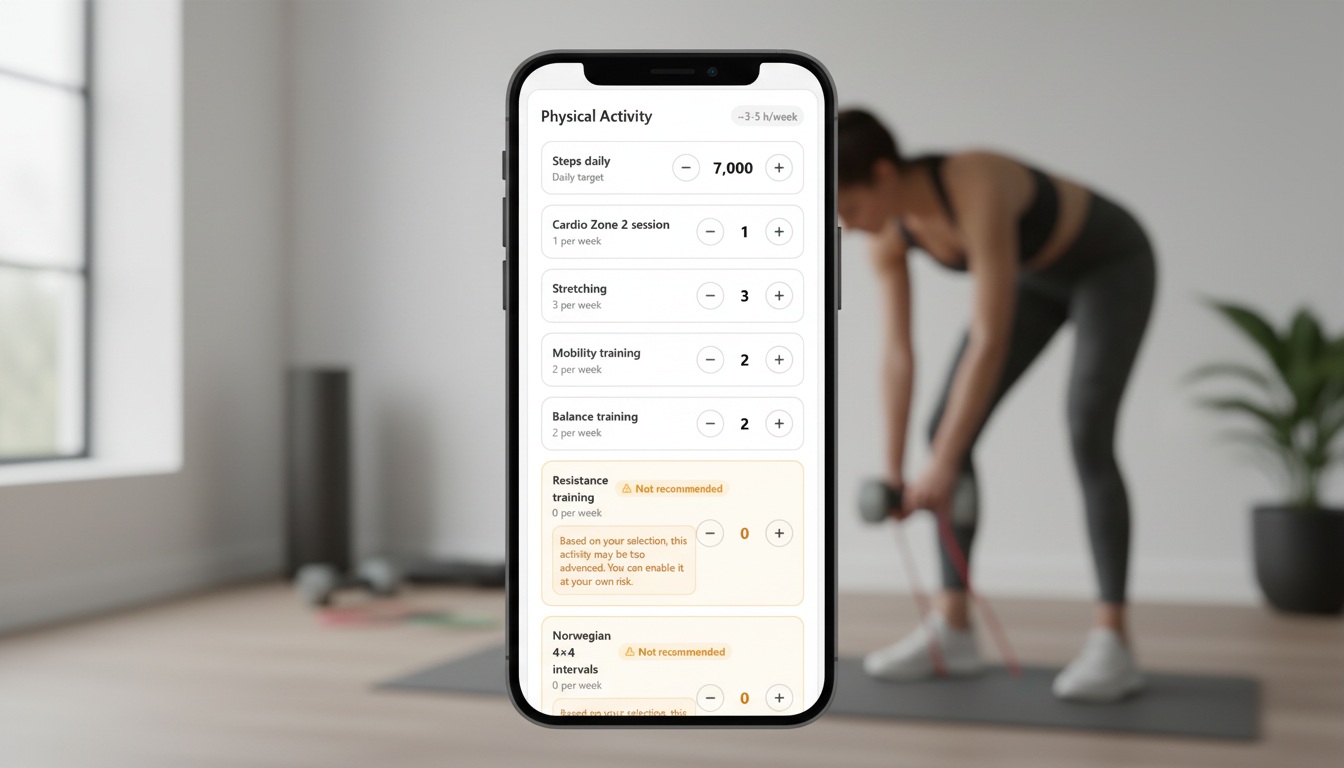
Step 5: Review Activity Targets
- Review the recommended weekly targets for:
-
- Resistance training (sessions per week)
- Zone 2 cardio (sessions per week)
- Norwegian 4×4 intervals (sessions per week)
- Mobility/stretching (sessions per week)
- Daily steps (steps per day)
- You can adjust these targets if needed
- Tap "Next"
Step 6: Schedule Your Workouts (Optional)
- Choose whether to schedule your workouts now or later
- If scheduling:
-
- For each workout session, select which days of the week
- Set a specific time (e.g., 08:00)
- Repeat for all workout sessions
- Or tap "Skip" to schedule later
Step 7: Configure Healthy Eating Habits
- Browse available healthy eating habit templates
- Toggle habits on/off based on what you want to track
- Tap "Next" when done
Step 8: Set Up Sleep Settings
- Set your preferred wake-up time
- Set your preferred bedtime
- Enable/disable bedtime reminders
- Set reminder timing (how many minutes before bedtime)
- Tap "Next"
Step 9: Configure Sleep Habits
- Browse sleep habit templates
- Enable habits you want to adopt
- For habits like "Last Meal Timing," set how many hours before sleep
- Tap "Next"
Step 10: Add Stress Management Habits
- Browse stress management habit templates
- Enable habits you want to track
- Tap "Next"
Step 11: Add Supplements (Optional)
- Browse the supplement library
- Enable supplements you want to track
- Set start dates for each supplement
- Supplements are automatically organized into time sections (e.g., "With Breakfast", "Before Sleep")
- Tap "Next" when done
Step 12: Review & Apply
- Review all your selections in the summary
- If you're overwriting existing settings, you'll see a confirmation dialog
- Tap "Apply" to create your complete protocol
- Wait for the system to apply all changes
Step 13: Success
- You'll see a success screen confirming your protocol is ready
- Tap "Go to Home" to start using your personalized protocol