Challenges
Create or join group challenges that help you build consistency, accountability, and momentum.
Table of contents
What Challenges do
Challenges help turn healthy intentions into visible, shared action. Instead of tracking habits alone, you can create or join a challenge with clear rules, a defined timeframe, a target level of consistency, and a group of people moving toward the same goal.
The module combines three elements:
- Structure: every challenge has dates, rules, a target, and a clear completion outcome.
- Accountability: participants can see progress, ranking, and consistency in real time.
- Momentum: group participation makes it easier to keep showing up when motivation drops.
Use Challenges when you want to build a habit with friends, run a team health initiative, or turn a personal health goal into a shared commitment.
Problems that Challenges help solve
Most longevity habits are not difficult because people lack information. They are difficult because they require repeated action when motivation is low, daily life gets busy, and progress is not always visible.
Challenges help address this consistency gap. They turn an individual intention into a shared commitment with rules, a deadline, progress feedback, and accountability from other participants.
This is especially useful when the health need is not “What should I do?” but “How do I keep doing it long enough for it to matter?” Challenges can help by:
- Making the goal concrete: a challenge defines what counts, when it starts, when it ends, and what completion means.
- Creating accountability: other participants can see progress, which makes it harder to quietly abandon the habit.
- Sustaining motivation: rankings, group progress, and shared momentum can make repetition feel more engaging.
- Supporting behavior change: the format helps bridge the gap between knowing a healthy action is valuable and actually doing it consistently.
Use Challenges when you want to make a longevity habit easier to repeat, especially for behaviors such as regular movement, sleep routines, nutrition consistency, recovery practices, or any protocol action that benefits from social support.
How Challenges work
Challenges follow a simple flow from setup to completion:
- Create or join: start your own challenge, join with an invite code, or choose a public challenge.
- Set the rules: define the timeframe, target consistency, required days per week, and optional reward.
- Track live: monitor completion, consistency percentage, ranking, and daily progress.
- Finish strong: completed challenges remain available with a clear summary of the result.
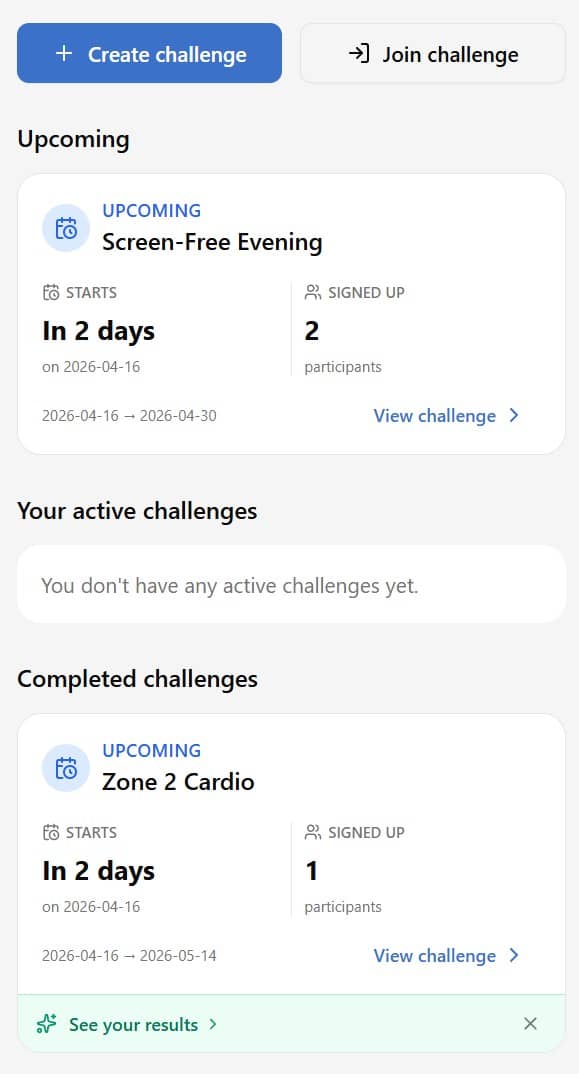
This makes a challenge different from a simple checklist. You are not only marking tasks as done - you are participating in a visible process with rules, feedback, and social pressure that can support consistency.
How to open the Challenges module
You can open Challenges from the Protocol area of the app:
- Tap the Protocol tab in the bottom navigation.
- Open the Challenges tile from the protocol grid.
- Choose Create challenge or Join challenge.
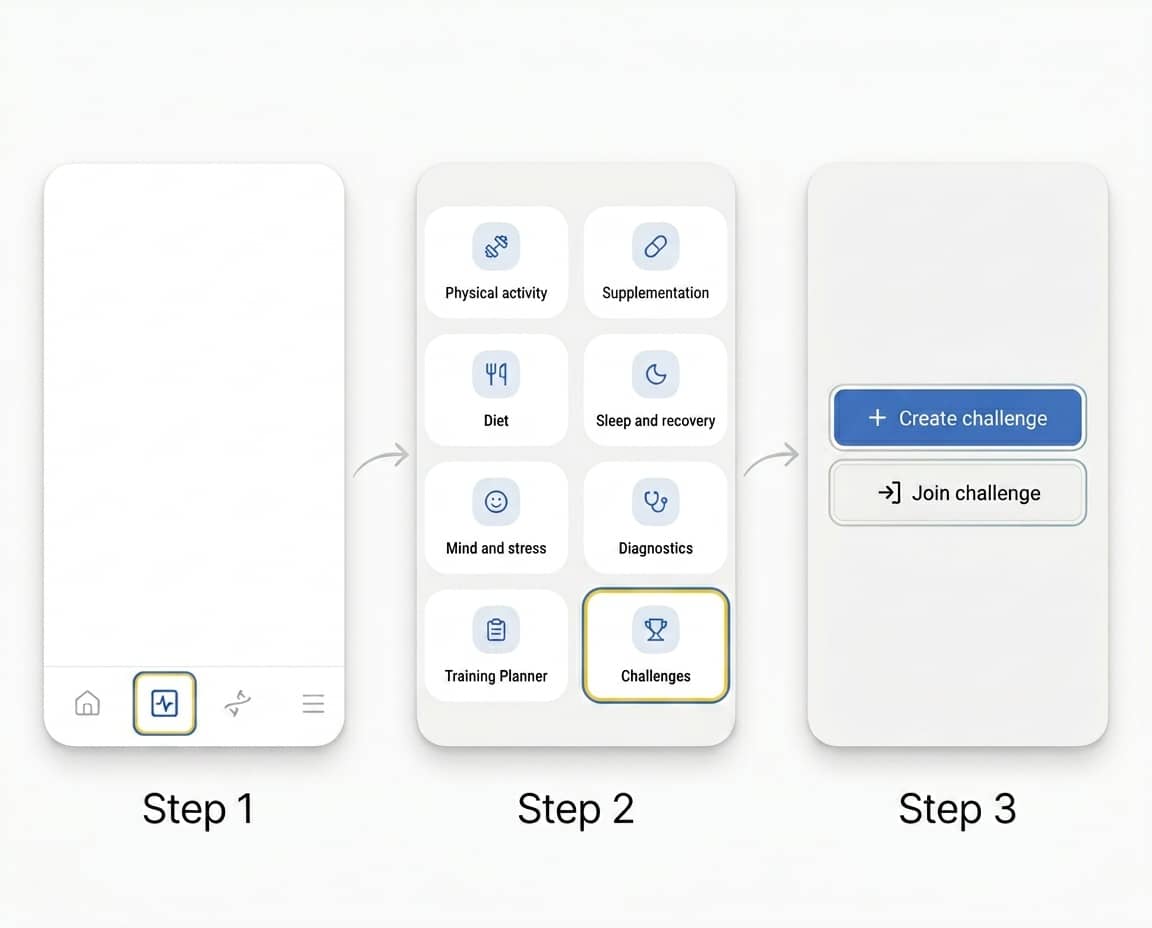
From there you can review active challenges, join new ones, create your own, or return to completed challenges.
Create or join a challenge
There are two main ways to use the module.
Create a challenge when you want to define the rules yourself. This is useful for a private group, a personal accountability circle, or a specific goal such as walking daily, completing workouts, improving sleep consistency, or following a nutrition habit.
Join a challenge when someone else has already created one. You can join with an 8-character invite code or browse public challenges if the creator made the challenge discoverable.
When creating a challenge, make the rules specific enough that everyone knows what counts as completion. Clear rules reduce confusion and make rankings more meaningful.
Track consistency and ranking
The Challenges module makes progress visible. Participants can track their consistency percentage, current ranking, and daily completion grid. This helps you quickly see whether you are keeping pace with the goal or drifting away from it.
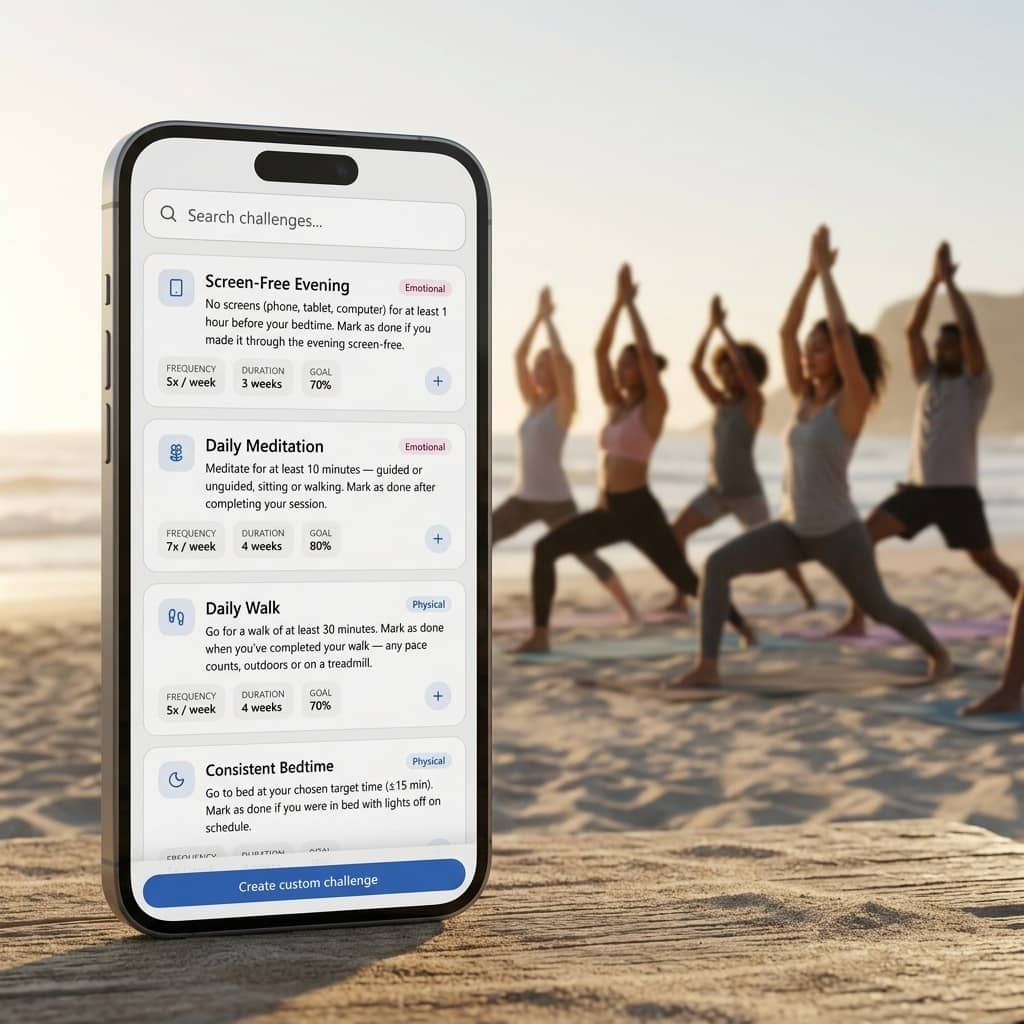
This visibility is the core motivational mechanism. Micro-competition can make routine behaviors feel more engaging, while group support helps keep the challenge from becoming purely individual pressure.
Rankings are intended to support accountability, not perfection. The most useful signal is whether the challenge keeps you returning to the behavior often enough to build momentum.
Invite friends and manage approvals
Challenge details include built-in sharing tools so group onboarding does not require long explanations. You can use:
- a copyable invite code,
- ready-to-send invite messages,
- clear join instructions for people with and without the app,
- optional approval before someone becomes an active participant.
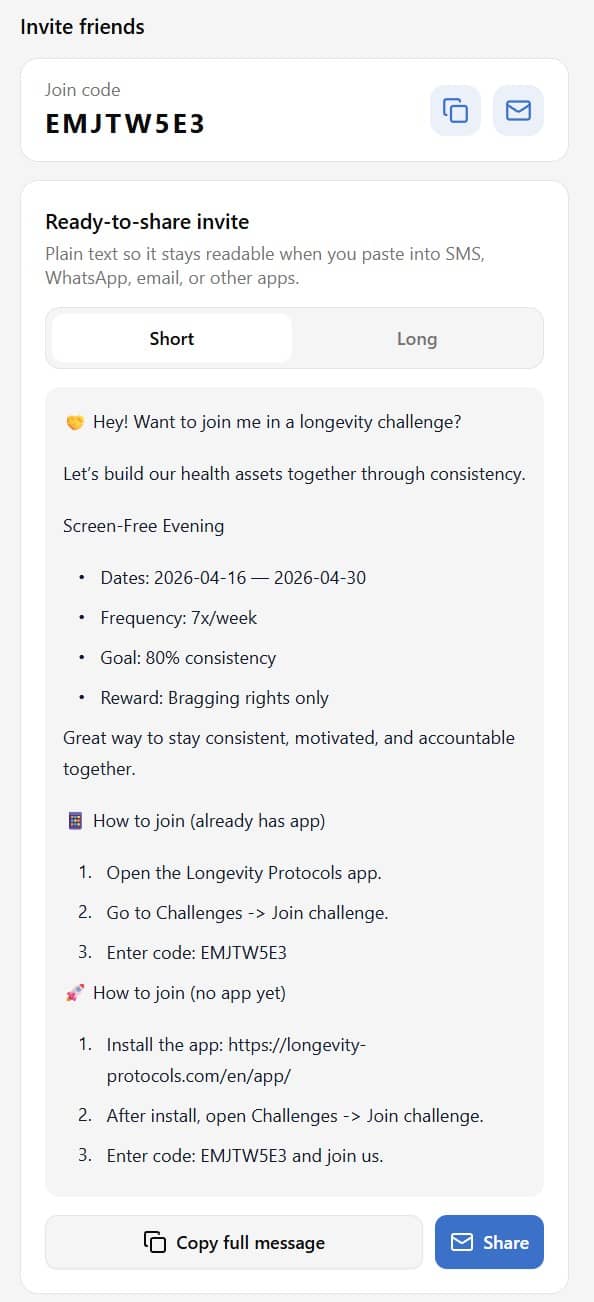
If approval is required, new participants appear as Pending approval until the creator accepts them. Pending users do not see the same ranking visibility as active participants.
Join public challenges
Public challenges are designed for people who want to start quickly without needing a private invite. Open the Join challenge flow, browse available public challenges, compare goals and schedules, and choose the one that matches your current priority.
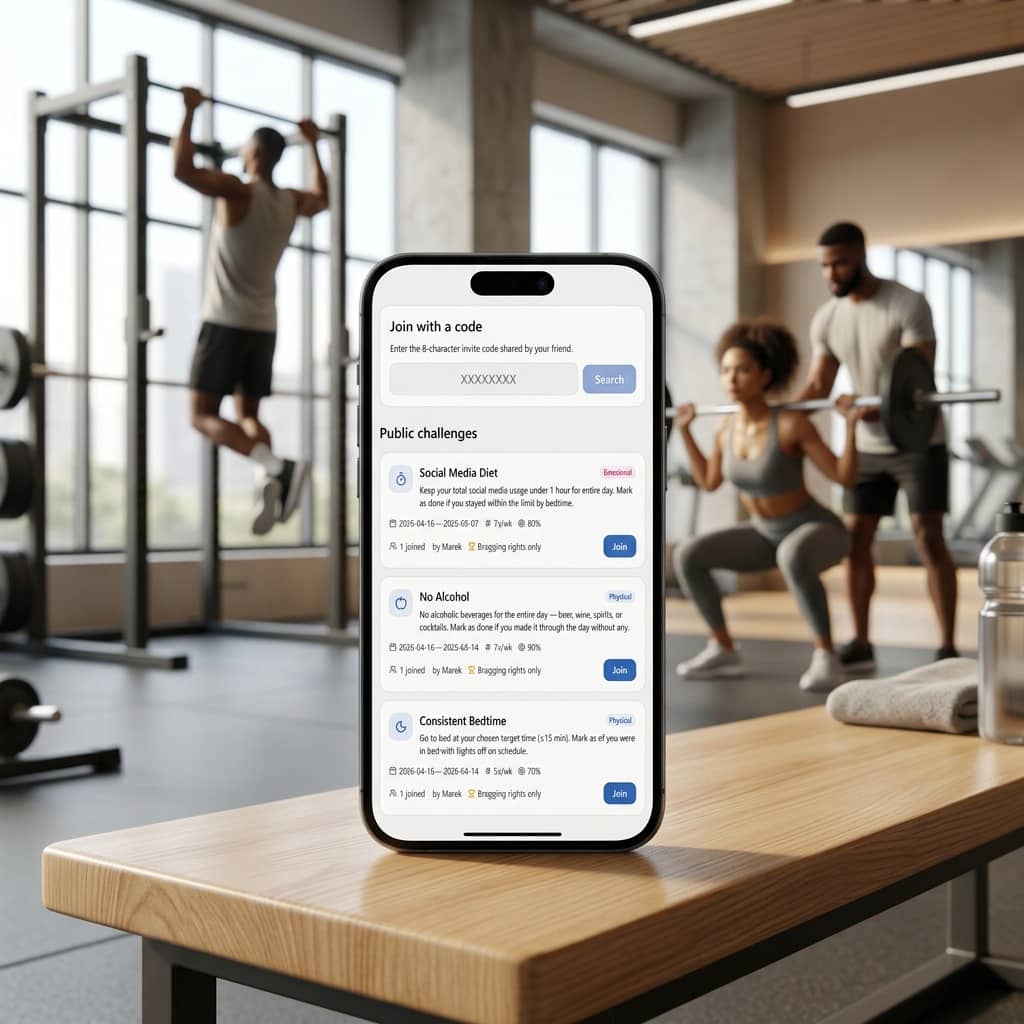
Depending on the challenge settings, you may join immediately or request approval. If the creator requires approval, your request stays pending until it is accepted.
Public challenges are useful when you want accountability but do not yet have a private group ready.
Rules and FAQ
How many active challenges can I run at once?
Each user can run up to 3 active challenges at the same time.
Can I join after a challenge has already started?
Joining after the start date is generally not allowed. Challenges work best when everyone follows the same timeframe.
Can I leave a challenge?
Yes. You can leave a challenge and remove your challenge-specific data.
Who can see the ranking?
Rankings are visible to creators and active participants. Pending users do not get the same ranking visibility.
Can I join with an invite code?
Yes. Enter the 8-character code in the Join challenge flow or choose from the public challenge list.
What happens when a challenge ends?
It moves to completed challenges, where outcomes and results remain easy to review.